
What Gigabit IQ offers families
Gigabit IQ merits closer consideration if you want broadband and family-safety features assessed together, but the right choice still depends on your address, household routines, budget and the controls you actually need. The useful question is not whether a feature list sounds reassuring. It is whether the stated offer matches the way your household connects, works, studies, plays and manages online boundaries.
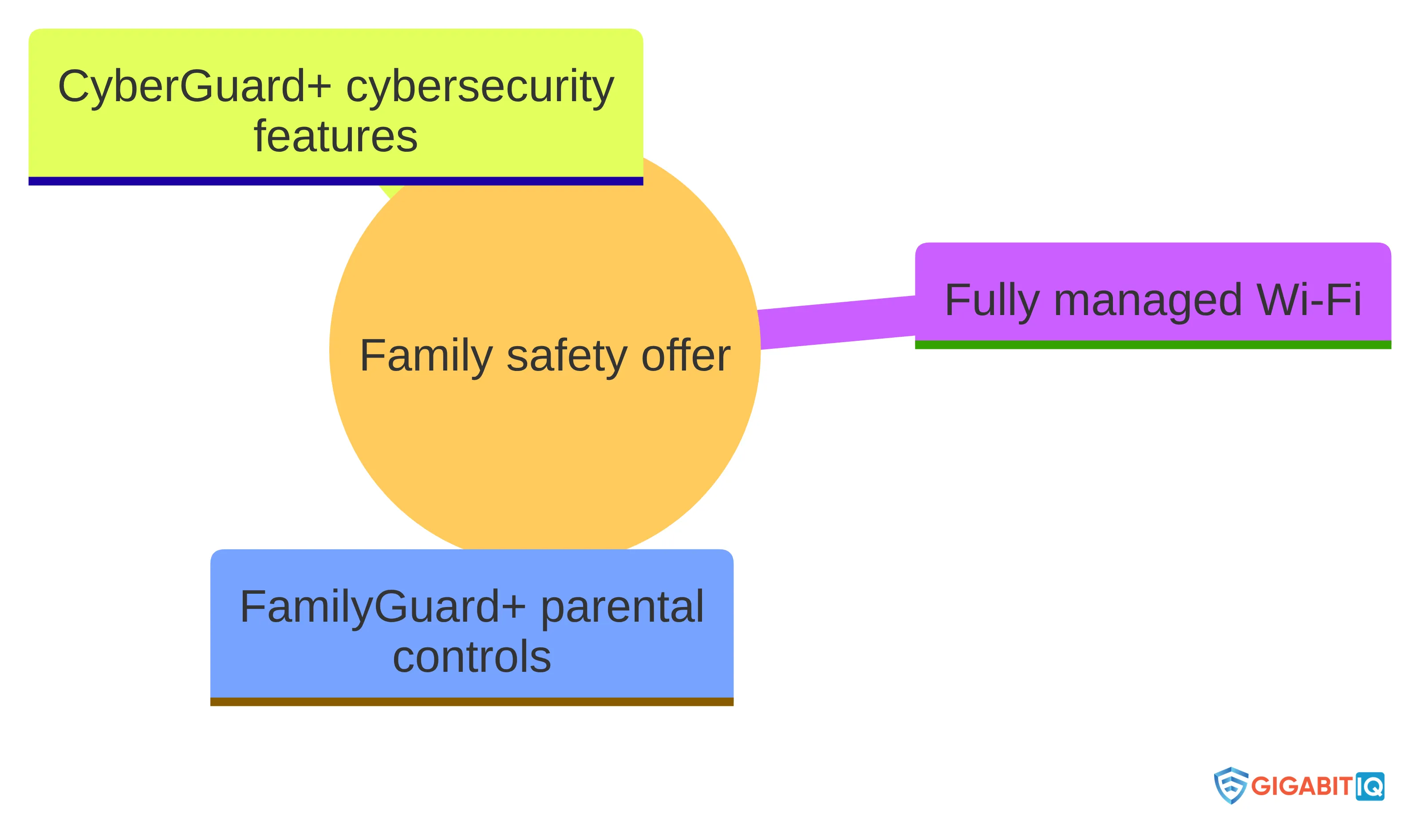
Gigabit IQ states that it offers fully managed Wi-Fi, FamilyGuard+ parental controls and CyberGuard+ cybersecurity features.
That gives you several areas to examine at once: the connection itself, the management of your home network, family controls, device security, price and contract length. It does not answer every household question by itself. You still need to establish whether the service is available at your address, whether the controls cover the situations that concern you, and whether the commercial terms fit your plans.
This guide separates our stated features and figures from the checks you need to make for your own household. It also keeps a clear boundary around safety claims: online controls can support family rules, but a broadband package should not be treated as a complete guarantee against every harmful outcome.
The family-safety features in plain language
Our family offer brings together three named parts: fully managed Wi-Fi, FamilyGuard+ parental controls and CyberGuard+ cybersecurity features. Together, these form one broadband offer; that does not mean every family will use every setting in the same way.
These features give you a starting point for questions, not a reason to assume that a single setting will suit every child, device or online activity.
Fully managed Wi-Fi is the network-management part of the offer. The label alone does not establish a universal result for every home, so focus on what you need the management to cover. For example, ask whether your priority is controlling access at home, managing several connected devices, or having a simpler way to organise the household connection.
Translate each feature name into a household question:
- Which child, device or type of activity are you trying to manage?
- Is your concern harmful content, time spent online, risky apps, social media or an unfamiliar connected device?
- Does the boundary need to apply only at home, or does the same activity continue through another connection?
- Will the setting be clear enough for you to understand what it changes and when it needs reviewing?
A feature becomes useful only when its stated function matches a specific need in your household.
You should also separate control from family agreement. A technical setting may support a rule about screen time or online activity, while the rule itself still needs to be understood by the people using the devices. That distinction helps you judge the offer by practical fit rather than by the number of labels attached to it.
What safety controls can and cannot promise
FamilyGuard+ and CyberGuard+ should be read as safety features with defined purposes, not as a guarantee that every harmful page, app, contact or threat will be stopped. Our stated description covers protection from harmful content, screen-time management, blocking risky apps and social media, and connected-device security. It does not turn those aims into a promise of complete prevention.
UK government guidance says that most devices, apps and websites have parental controls in their settings, with instructions available from manufacturers and service providers. That matters because your household’s online activity may be spread across several places, and a broadband-level feature may not answer every device- or platform-specific question.
Use the controls as one part of a wider arrangement. Start by naming the boundary you want to create, then identify where the relevant activity takes place and which device or service is involved. If the concern is a particular app or website, look for the setting that governs that service as well as considering the home connection.
Before relying on a control, ask four direct questions:
- What activity does the setting cover?
- Which devices or services does it reach?
- What would you see if the setting worked as intended?
- When would you review it as your child’s routine or devices change?
These questions do not prove that a control will block every unwanted experience. They help you avoid treating a broad feature name as a complete safeguarding plan.
Your family’s conversation still matters. Agree what screen-time boundaries mean, which activities need extra care and what your child should do if something upsetting appears. Broadband controls can support those decisions; they do not replace them.
Overview
A clear way to assess the offer is to move through four questions:
- What is included? Identify the broadband, managed Wi-Fi, family controls and cybersecurity features that matter to you.
- What does your household need? Match the stated functions to your children’s devices, routines and online activities.
- What will it cost over the commitment? Read the monthly price, contract length and any applicable terms as package information rather than assuming they apply to every household.
- What still needs checking? Establish address availability, current terms, expected performance and whether the controls cover the situations you care about.
The first question describes the offer. The remaining three decide whether it belongs on your shortlist.
This approach keeps the assessment balanced. A household that values managed Wi-Fi and integrated family controls may find the combination worth investigating. A household that needs a particular device setting, a different contract arrangement or address-specific availability should treat those points as decision boundaries rather than hoping a general feature label will resolve them.
The broadband, safety, price, speed and savings claims describe Gigabit IQ’s offer and stated comparisons; they do not establish the connection or household outcome you would receive. Our figures describe our stated package and comparison claims; they are not presented as independent tests of your connection or household outcome.
Read the price and contract as supplied package information
At the time of writing on 27 October 2026, Gigabit IQ’s package information lists a monthly price of £40.99 and an 18-month contract length. Treat those figures as package-specific information, not as universal terms for every household, address or future offer.
We aim to deliver gigabit speeds with no hidden fees and a no-nonsense approach. That is our stated position. Your decision still needs to account for the full commercial picture, including the price you would pay, the period of commitment and any conditions attached to the package you are considering.
Before committing to any broadband package, write down the points that affect your household budget:
- the monthly charge;
- the contract length;
- any installation, equipment or change-of-service charges that apply;
- what happens if your circumstances change during the contract; and
- whether the quoted package is the one that includes the features you actually need.
This is a reading exercise, not a prediction of your final cost. Current terms and address-specific availability can change the practical answer.
An integrated safety offer may be useful if it brings together functions you would otherwise manage separately. It may be less relevant if your main need is a different contract arrangement or a control that sits outside the stated offer. Compare the cost with the problem you are trying to solve, rather than treating a longer feature list as automatic value.
Separate speed and savings claims from independent verification
These are stated average figures, so read them as a description of the supplied service information rather than a promise that every device in your home will receive those speeds in every situation.
To judge whether the speed claim matters to you, connect it to your actual routine. Consider how many people may be online at once, whether your household sends large files as well as downloads them, and whether work, study, gaming or video activity competes for the connection. A headline number cannot decide those questions without the context of your home and devices.
We state that families can save money with us compared with other broadband providers over a 24-month period. The comparison figures are shown as -£321.24, -£307.00 and -£235.00 against three comparison providers. The figures are tied to the assumptions behind that comparison and should not be treated as a universal saving for every household.
The minus signs make the figures easy to misread, so do not convert them into a personal saving without understanding what the comparison measures. Ask what monthly charges, contract periods, fees, package features and other assumptions sit behind the calculation. A saving claim is useful only when the compared packages and conditions match your situation.
Neither the stated speed figures nor the comparison figures settle whether the offer will perform or cost less for you. Treat them as claims to place alongside address availability, current terms and your household’s needs. That keeps the assessment honest without dismissing information that may still help you decide whether to investigate further.
Use household fit—not feature labels—to judge value
Household fit is the point at which the offer becomes a real decision. You are not choosing a list of names; you are choosing an arrangement for the way your home uses the internet. The same controls may matter greatly in one household and add little in another.
Start with the address. Whether your home is in an English city, town or rural community, address-specific availability comes before judging the rest of the package. Do not assume that a service described as available across the UK will automatically be available at your property or on the terms you have seen.
Next, describe the concern in ordinary language. You may need help managing screen time, limiting access to harmful content, blocking particular risky apps or social media, or understanding connected devices in the home. Match that concern to the stated function, then ask what device or service the boundary needs to reach.
Your routine matters as much as your concern. A household with several children, shared tablets and evening streaming may need a different arrangement from a household with one child using a single laptop for schoolwork. Think about who uses the connection, when activity is busiest and which devices travel outside the home.
Finally, compare the stated price and contract with your plans. Those periods are not interchangeable, so consider how long you expect to remain with the service and whether the comparison period reflects your decision.
A sensible result can be positive, negative or undecided. Proceed to closer review when the address, controls, cost and routine line up. Pause when a required feature, term or availability point remains unclear. You do not need to turn uncertainty into a positive verdict.
Key Highlights
Keep these points in view:
- Our stated family-safety functions include harmful-content protection, screen-time management, risky-app and social-media blocking, and connected-device security.
- Gigabit IQ lists £40.99 per month and an 18-month contract at the time of writing.
- Gigabit IQ’s stated average speeds are 1130Mbps for downloads and 104Mbps for uploads.
- Our savings statement and comparison figures depend on the assumptions behind the 24-month comparison.
- Feature names do not establish complete protection or prove that the controls match your household.
- Address availability, current terms and the fit between the controls and your family’s routine still need to shape your decision.
The short version is straightforward: the offer may be relevant when you want broadband, managed Wi-Fi and family-safety features considered together. The decision becomes weaker when you rely on a headline speed, a price figure or a control label without checking the conditions around it.
Check these points before exploring a package
Use this checklist to turn the overview into a household decision. Keep your answers specific; vague approval of a feature is less useful than knowing exactly what you need it to do.
-
Check address availability. Establish whether the offer is available where you live and whether the package you are considering applies to that address.
-
Name the safety problem. Decide whether your priority is harmful content, screen time, risky apps, social media, connected devices or a combination of these.
-
Match the setting to the activity. Identify the devices, apps, websites or services involved. UK government guidance notes that controls are commonly found in device, app and website settings, so consider which layer relates to your concern.
-
Check the household routine. Include shared devices, schoolwork, gaming, work, streaming and activity outside the home. The right question is whether the arrangement fits real use, not whether it sounds comprehensive.
-
Read the commercial terms. Record the monthly price, contract length, applicable charges and the period used for any comparison. The figures of £40.99 per month, 18 months and a 24-month savings comparison describe different parts of the decision.
-
Put speed in context. Use the stated average download and upload figures as one input, then consider how your household shares the connection and what it uploads as well as downloads.
-
Set the boundary clearly. Treat controls as support for family rules, not as a guarantee against every harmful page, app, contact or threat.
-
Decide what would change your mind. A missing feature, unsuitable term, unavailable address or unclear control boundary should be a reason to pause rather than a detail to overlook.
If you can answer these points clearly and the offer still fits, you have a more useful basis for further consideration. If you cannot, identify the unanswered point before treating the package as suitable.
Decide whether Gigabit IQ merits a closer look
Gigabit IQ merits a closer look when your household wants a broadband offer that combines managed Wi-Fi, family controls and cybersecurity features, and when the stated commercial information is compatible with your plans. The case is less clear if you need a particular control that has not been matched to your devices, if availability is uncertain, or if the contract does not suit your expected time at the address.
Use the stated price, speed and savings information as part of the assessment, not as independent proof of your eventual cost, performance or safety outcome. Match each safety function to a real household need, remember that device and platform settings may also matter, and keep family rules and conversations alongside technical controls.
If the address, household needs, current terms and feature fit all remain acceptable after those checks, the next step is to examine the available package details for your household.
What should families confirm before selecting a Gigabit IQ package?
What average speeds can I expect from Gigabit IQ's broadband service?
Gigabit IQ states that its average download speed is 1130Mbps and its average upload speed is 104Mbps.
What should I consider when evaluating whether Gigabit IQ is suitable for my family?
Consider your household’s specific needs, such as the types of devices used, online activities, and whether the safety features align with your family’s requirements.
How does Gigabit IQ compare to other broadband providers in terms of savings?
Gigabit IQ claims that families can save money compared to other providers over a 24-month period, with specific savings of -£321.24 versus Sky, -£307.00 versus BT, and -£235.00 versus Virgin.
What steps should I take before deciding to explore Gigabit IQ packages?
Before exploring packages, check address availability, identify your family’s specific safety concerns, match the service features to your needs, and review the pricing and contract terms.


