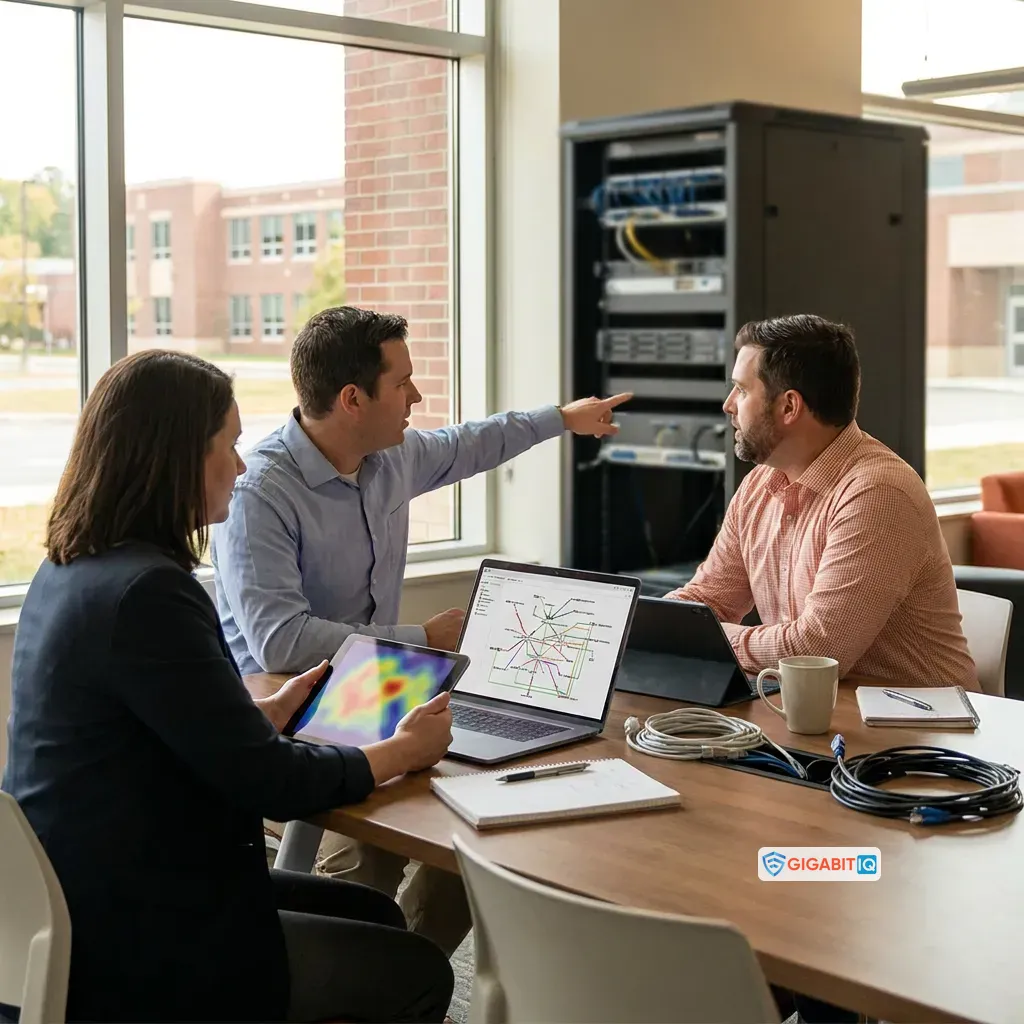
Start with the institution’s operating requirements
A school broadband decision starts with the way your setting operates, not with an advertised speed on its own. Your assessment should cover pupils, teaching staff, administrative staff, visitors, school devices, cloud services, communication systems and safeguarding work. A primary school, secondary school, college and rural education setting may have different patterns of demand, so the same package should not be assumed to fit each one.
School broadband should have adequate capacity at the busiest times for students and staff, and it should be scalable as school requirements change. Those two tests give you a more useful starting point than a headline download figure: ask whether the connection can support concurrent demand today and whether the design can accommodate new devices, services or teaching practices later.
A practical assessment can begin with five questions:
- Which people, devices and services need access at the same time?
- Which activities are essential to teaching, attendance, administration, communication or safeguarding?
- When does demand reach its highest point during the school day?
- What disruption would prevent staff from carrying out essential work?
- Which requirements belong to the internet connection, and which belong to the on-site network?
Write the answers down before comparing suppliers. That record gives your governors, senior leadership, IT support and procurement team a shared description of the service you need. It also helps you separate a genuine requirement from a feature that sounds attractive but has no clear place in your setting.
Your operating requirements should describe the whole setting rather than a single classroom. Include teaching blocks, offices, reception, libraries, examination spaces, staff areas, outdoor or temporary areas where access is needed, and any separate buildings connected to the network. List the systems that support attendance, finance, safeguarding records, communication and shared documents alongside learning platforms.
The result should be a short service brief with measurable questions. It should state who needs access, what they need to do, when demand is highest, what must continue during an interruption and which responsibilities your institution expects a supplier to support. Use that brief consistently when you compare proposals.
Measure capacity at the busiest times
Peak demand is the useful test for school broadband capacity. Count the people and devices that may be active together, then list the services they use: learning platforms, video lessons, cloud documents, online assessments, attendance systems, finance tools, staff administration, parent communication and internet-enabled phones. The point is not to produce a perfect forecast. The point is to show what the connection must carry when several parts of the setting are working at once.
School broadband should have adequate capacity at the busiest times for students and staff. Compare that requirement with the capacity offered at your site, and ask how the quoted service is measured. A speed figure without the surrounding conditions does not tell you whether the access line, internal network, wireless design and devices will support the school day together.
Full fibre services provide flexibility to future-proof schools and colleges as demand for internet services increases. That is a general consideration for your comparison, not a conclusion that any particular site will have enough capacity. Your setting still needs a site-specific assessment of usage, network design and availability.
Our education page sets out 1 Gbps symmetric internet speed for secondary schools. Treat those statements as points to examine in a proposal: ask how the speed applies to your location, what equipment and network design sit behind it, and whether it matches the demand you recorded. A provider statement is not evidence that your institution meets a standard or that the service is suitable without that comparison.
Use a capacity worksheet with these columns:
- User groups and estimated simultaneous users
- Devices connected by wired and wireless access
- Essential services and their busiest periods
- Required upload and download activity
- Internal network constraints that may limit performance
- Capacity offered, measurement conditions and unresolved questions
Keep assumptions visible. If your estimate depends on a new digital service, a building change or a larger device fleet, mark that dependency rather than presenting it as a settled fact.
Upload demand deserves its own line in the assessment. Staff may need to send files, use cloud systems, manage records or communicate with families while pupils are using learning platforms. Record those activities separately from downloads, then ask whether the proposed service’s upload capacity and symmetry match the work your setting expects to do at the same time.
Also separate advertised access speed from the result experienced inside the building. Wired links, wireless access points, cabling, switches, equipment capacity and device conditions can all affect how the connection is used. Record each dependency so a capacity decision does not become a decision about the internet line alone.
Plan for continuity, not just the primary connection
Reliability matters because school operations depend on more than classroom browsing. A UK school broadband guide identifies uptime better than 99% as an expectation for school broadband. Use that figure as a comparison point from the guide, then ask what service level, support route and fault process apply to the connection you are considering.
The BDUK Hubs evaluation, published on 6 October 2026, reports that improved broadband connectivity created benefits for rural primary schools including reduced connectivity-related disruption, digitised core services and complementary ICT investment. Those findings are relevant when a rural setting weighs the effect of interruptions on attendance, finance, safeguarding, communication, shared documents and other routine systems. They do not guarantee a particular result for your site.
A continuity assessment should look beyond the main access line. Map the services that would be affected by an outage and decide which need a fallback. Record the proposed primary technology, the proposed alternative, the equipment needed to switch between them, the support process and the limitations during an interruption. If your setting is rural, include local availability and physical access constraints in that assessment. A backup that cannot operate at your site is not a useful continuity plan.
An outage exercise turns continuity into a practical test. List the first systems staff would need, the people who would declare an incident, the communications route for staff and families, and the work that could wait. Then identify what the fallback connection would actually support and what would remain unavailable.
Ask suppliers to explain the restoration and escalation process in terms your staff can use. Record response expectations, contact routes, equipment dependencies and any limits on the fallback arrangement. A resilient design is easier to compare when every provider answers the same outage questions.

Treat the on-site network as part of the broadband decision
The on-site network determines how people and devices experience the connection. Compare access-line provision with wireless coverage, wired connections, equipment locations, capacity in busy rooms, visitor access and the way faults are diagnosed. A strong internet connection cannot compensate for an internal network that leaves classrooms, offices or shared spaces without suitable access.
Gigabit IQ includes network setup and infrastructure support. We also say we ensure reliable Wi-Fi for staff, pupils and visitors. Use those first-party statements as questions for a site discussion: identify what setup is included, which parts of the infrastructure are covered, how wireless areas will be assessed and where responsibility passes to your institution or another contractor.
Managed Wi-Fi can be compared as an operational service rather than a label. Ask who manages the equipment, who receives fault reports, how changes are authorised, what information is available to your staff and how the arrangement fits your existing IT responsibilities.
We offer fully managed Wi-Fi, FamilyGuard+ parental controls and CyberGuard+ cybersecurity features. Those are named features in Gigabit IQ’s own service material; they are not proof by themselves that your building has adequate coverage or that your safeguarding process is complete. Place each feature against a requirement in your worksheet, and record any site survey, configuration, support or ownership detail that still needs a decision.
Your on-site network review should begin with a simple map. Mark access points, wired cabinets, classrooms, offices, shared spaces, separate buildings and areas where staff or pupils report weak access. Add the equipment and systems that depend on each part of the network.
Use the map to ask whether the proposed service includes installation, configuration, replacement, monitoring or fault diagnosis. Separate those responsibilities from the internet access line and from work your institution must arrange itself. That separation makes the cost and support comparison clearer.
Separate filtering and monitoring from connectivity
Internet access and safeguarding controls are related, but they are not the same decision. School broadband should provide appropriate filtering and monitoring systems to protect students from unsuitable material and proactively monitor students’ online activity. Filtering systems should block harmful and inappropriate content without unreasonably affecting teaching and learning.
That balance matters in practice. A control that blocks legitimate educational resources can disrupt lessons, while a control that does not address the setting’s risks may leave staff without an appropriate response route. Compare the proposed controls with your teaching needs, safeguarding processes, device mix, user groups and reporting arrangements rather than treating a filtering label as a complete answer.
Your monitoring strategy should meet your school or college’s safeguarding needs. Ask what activity is covered, who receives alerts or reports, how concerns are handled and how staff understand their responsibilities. Keep the distinction clear: filtering governs access to content, while monitoring supports the identification and handling of concerns within the setting’s safeguarding arrangements.
Use the comparison process to record four separate points:
- What the proposed filtering system is intended to block or allow
- What monitoring information is produced and who can access it
- How teaching staff report a concern or a filtering problem
- How the setting checks that the arrangement remains suitable
A broadband service can form part of this work, but it does not transfer your institution’s safeguarding responsibilities to a connection alone.
Your filtering and monitoring assessment should cover the devices and routes pupils and staff actually use. Record whether the proposed arrangement applies to wired and wireless access, school-managed devices, personal devices allowed on the network, mobile platforms and any separate connection used by the setting. Ask how exceptions are requested and who approves them.
The comparison should also cover teaching access. Identify resources that must remain available, the process for reporting an inappropriate block and the response when a safeguard appears not to work as expected. These operational details matter as much as the feature name.
Assign ownership and review the safeguards
Filtering and monitoring need named ownership. Schools and colleges should identify and assign roles and responsibilities for managing filtering and monitoring systems. Your record should name the person or team responsible for technical maintenance, the safeguarding lead who receives relevant information, the staff who report concerns and the route for resolving a failure or an inappropriate block.
Filtering and monitoring systems should be reviewed at least annually. An annual review gives your setting a scheduled point to assess whether the controls still match teaching, devices, working practices and safeguarding needs. Add further checks when a safeguarding risk, major change in working practice, new technology or significant network change makes an earlier review appropriate.
The UK Safer Internet Centre says its 2026 updates provide greater clarity for schools and colleges on meeting statutory safeguarding responsibilities, including in relation to mobile platforms and generative AI. For an England setting, use the current relevant guidance when you define requirements and review the proposed arrangement. Do not treat a supplier’s description of filtering or monitoring as proof that your institution meets those responsibilities.
Build a review record with the date, people involved, systems covered, identified concerns, decisions, actions and next review point. Keep the record with your wider safeguarding and technology governance documents. The record is a management aid: it helps you show who owns each task and what needs attention next.
Your responsibility schedule should connect each control with an action. For example, assign technical maintenance to the appropriate team, reporting to the staff who use the system, safeguarding decisions to the designated lead and supplier questions to the person managing the contract. Record what happens when those people are absent or when a concern crosses technical and safeguarding responsibilities.
Use the annual review to revisit the service, not only the written policy. Compare current users, devices, teaching practices, reporting routes and network changes with the original requirements. Record the decision, any remedial action and the next review date.
Include cybersecurity and network control
School broadband should include measures to protect sensitive staff and pupil data from cyber-attacks. Start by identifying the systems and information that depend on connectivity, then ask how access is managed, how faults and suspicious activity are reported, and which responsibilities remain with your institution.
A useful comparison separates the connection from the controls around it. Record the proposed protection features, the devices and services they cover, the people who administer them, the alerts or reports available to staff and the support route when something goes wrong. Keep any claim about protection in its proper scope: a named feature does not establish that every system, device or user in your setting has the same protection.
Network segmentation can control how traffic flows and what access is allowed between different network segments. It should also be considered when protecting the management interfaces used to configure infrastructure. Ask whether your proposed design separates administrative access, staff use, pupil devices, guest access and any other groups your institution has identified as requiring different controls.
Use segmentation as a design question, not as a promise of a particular security outcome. Your IT or network adviser can map the required traffic flows, administrative access and operational consequences before procurement. The final design should fit the equipment, applications, responsibilities and support arrangements at your site.
Your cybersecurity questions should identify boundaries as well as features. Ask which equipment is included, who applies updates or configuration changes, which logs or alerts are available, how administrative access is controlled and how incidents are escalated. Record the answer for the access line, on-site network, connected devices and hosted systems separately.
A school can then see where supplier support ends and institutional responsibility begins. That distinction helps you assign owners, budget for required work and avoid treating a general security description as a complete design.
Compare providers using an evidence register
An evidence register helps you compare a provider’s statement with an independent requirement, an institutional requirement or an unresolved question. Schools comparing broadband services should compare them on a like-for-like basis and assess the total cost over the entire contract period. A monthly price alone can hide differences in installation, equipment, support, network work, resilience, contract length and multi-site arrangements.
Create one row for each decision point and use columns such as:
- Requirement and why it matters to your setting
- Evidence source and date
- Provider statement or proposed service detail
- Site, package or contract condition
- Cost across the full contract period
- Owner of the decision
- Information still needed
- Decision and review date
Keep independent guidance separate from commercial descriptions. That separation makes it easier to see whether a point is a requirement, a preference, a provider capability or a detail that needs site-specific assessment.
Schools should check that a broadband provider has a track record in education services and understands educational broadband for schools. Ask how the proposed support model works for your setting, who will manage the relationship, how faults are escalated and what happens when the contract approaches its end. Compare support on the same basis as speed, filtering and cost.
At Gigabit IQ, our pricing may change depending on the wholesale provider and location. Treat location as a procurement input, not as a footnote. Record the site or sites covered, the access technology, the proposed service, installation assumptions, contract term, recurring charges, one-off charges and any dependencies. For a multi-site setting, compare the whole arrangement rather than adding together unrelated single-site offers.
A simple scoring sheet can keep the comparison disciplined. Give each provider the same questions under capacity, resilience, on-site network, safeguarding controls, cybersecurity, support, contract terms and cost. Add a separate column for conditions and unresolved points so a high score cannot hide a dependency that has not been answered.
Do not combine unlike evidence into a single impression. A provider’s feature list, an independent recommendation and your institution’s own requirement should remain visibly separate. The final decision record should explain which requirements are met, which depend on a proposal or site survey and which remain open.
Test Gigabit IQ’s education claims before deciding
Record the quoted symmetric speed as a proposal detail, not as a conclusion about suitability. Compare that figure with your measured peak demand, upload requirements, internal network and resilience plan. The figure should be assessed alongside the service design, not used as a substitute for assessing the whole setting.
Use these questions when examining the proposed service:
- Does the quoted speed apply to the specific school or college site?
- Is the service symmetric, and how does that affect your upload-dependent work?
- What access equipment and on-site network arrangements are assumed?
- What happens if the primary connection is disrupted?
- Which filtering, monitoring, Wi-Fi and cybersecurity responsibilities remain with your institution?
- Which parts of the proposal are fixed, and which depend on location or wholesale availability?
The answers should be recorded beside the relevant requirement, with unresolved points assigned to a named decision-maker.
Assess the proposed service against your continuity priorities, site options and budget. We also offer full-fibre, Gigabit speeds, no hidden fees and a no-nonsense approach in our education material, while pricing may change depending on the wholesale provider and location.
Read those statements as commercial points that require a like-for-like comparison. The completed register should show the service description, the site-specific cost, the contract commitment, the operational responsibilities and the independent or institutional requirement that each point addresses. That method lets you decide on fit without confusing a provider’s description with a standards decision.
Your proposal review should turn each service description into a confirmable question:
- What is included for the named site and buildings?
- Which equipment, installation work and configuration are included?
- Which managed Wi-Fi, filtering, monitoring and cybersecurity functions are part of the package?
- What support is available to school staff, and what response process applies to faults?
- What are the contract term, recurring charges, one-off charges and location-dependent conditions?
- What information must your institution provide before delivery?
Record the answer next to the requirement it addresses. If an answer changes the capacity, continuity, safeguarding, support or cost assessment, keep the proposal open until that condition is resolved.

Get professional evaluation when key uncertainties remain
A school broadband decision should pause when a material requirement remains unclear. Seek the right internal or external review when your team cannot connect the proposed service to current education guidance, safeguarding expectations, network responsibilities or procurement rules.
Use these decision branches:
- Current standards are unclear: ask your safeguarding or technology lead to identify the applicable current guidance for your setting and record the requirement before comparing offers.
- Funding is unclear: identify funding options relevant to your setting, then check authoritative UK education funding guidance for current eligibility, deadlines and any procurement conditions; confirm that any funding is available to your institution and location before relying on it.
- Filtering or monitoring ownership is unclear: bring the technical and safeguarding owners together, assign each responsibility and document the reporting route.
- The network design is unclear: involve an appropriate network specialist to assess traffic flows, administrative access, wireless coverage and continuity.
- The service, contract or site details are unresolved: obtain a site-specific proposal and compare the full commitment with equivalent options before making a recommendation.
- The setting has unusual constraints: record rural access, multiple buildings, temporary accommodation, specialist teaching systems or other conditions that could change the assessment.
A review should answer a defined question. It should not replace your institution’s own decision record or its responsibility for procurement and safeguarding governance.
Your review request should be specific enough to produce a usable decision. State the unresolved requirement, the evidence already recorded, the consequence of leaving it unanswered and the decision date. Ask for a written conclusion covering the affected service, responsibility, cost or governance point.
Use the result to update the comparison register rather than keeping it as a separate opinion. If the review identifies a condition, add that condition to the proposal and decision record. If it identifies a gap, assign an owner and a next action before procurement proceeds.
Use the completed checklist to choose the next step
A completed education broadband checklist should leave you with a clear decision on capacity, continuity, the on-site network, filtering, monitoring, cybersecurity, ownership, support, contract cost, funding checks and site-specific availability. It should also show which points come from current UK education guidance, which belong to your institution and which are Gigabit IQ service descriptions requiring a site and package assessment.
We provide full-fibre connectivity for classrooms and school facilities, include network setup and infrastructure support, and offer fully managed Wi-Fi, FamilyGuard+ parental controls and CyberGuard+ cybersecurity features. We also offer full-fibre and Gigabit speeds, while pricing may change depending on the wholesale provider and location. Use those points only after matching them with your recorded requirements, the proposed service conditions and the total cost of the commitment.
If the service meets your documented requirements, request a site-specific proposal covering availability, pricing, responsibilities, support and contract terms. A qualified professional should decide individual suitability where technical, safeguarding or procurement circumstances require specialist judgement.
Your final decision record should name the chosen service, the requirements it meets, the conditions attached to it and the points that will be reviewed after implementation. It should also identify who owns the broadband relationship, the filtering and monitoring review, the network controls and the continuity plan. That gives your institution a clear basis for procurement and future review.
Questions to confirm before selecting an education broadband provider
What should a school ask for in a broadband proposal?
Request a site-specific proposal covering the buildings and access technology, capacity and upload requirements, managed Wi-Fi, installation and equipment, resilience, filtering and monitoring responsibilities, cybersecurity controls, support arrangements, contract term, recurring and one-off charges, and location-dependent conditions. Ask the supplier to identify which elements are included and which remain the institution’s responsibility.
How can a school tell whether a broadband claim proves compliance?
It cannot assume that a provider’s speed, filtering or security description proves compliance or suitability. Record the claim separately from current UK education guidance and your institution’s own requirements, then confirm the site, package, configuration, responsibilities and evidence behind it. Unresolved points should remain open in the procurement record until they are answered.
What should a school include in its broadband continuity plan?
Identify the services that must continue during an outage, the primary and fallback connection technologies, the equipment needed to switch between them, expected limitations, support contacts and escalation steps. Check that the proposed fallback is available at the site and test what staff could actually do while it is in use, particularly in rural or multi-building settings.
Who is responsible for school filtering and monitoring?
The institution should assign clear responsibilities rather than treating the broadband connection as the owner of safeguarding work. Name the technical person or team responsible for maintaining the systems, the safeguarding lead who receives relevant information, staff who report concerns and the person managing supplier issues. Review the arrangement at least annually and sooner when risks, working practices, technology or the network change.


